

ERP Software for Energy Industry- How to Choose the Best Solution
The oil and gas industry drives the country’s economy and boosts growth. However, this industry has to follow stringent r...
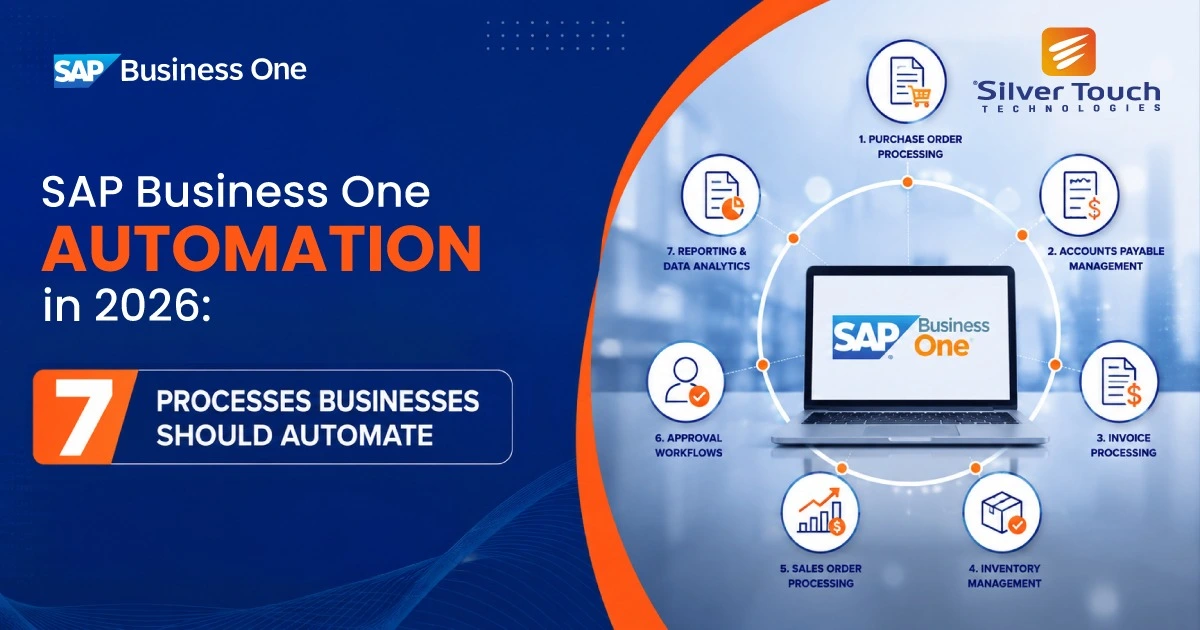
SAP Business One automation has moved from a nice-to-have to a competitive necessity for small and midsize businesses. SAP Business One (SAP B1) already brings finance, sales, purchasing, inventory and reporting into one system. Yet many companies still run it with spreadsheets, email chains and manual data entry sitting around the edges.
In 2026, customers expect faster order turnaround, finance teams face tighter close deadlines, and skilled staff are expensive and hard to hire. Automating the right processes lets your team handle more volume without adding headcount, while cutting errors that cost money and damage customer trust.
This guide covers the seven SAP Business One processes that deliver the fastest return when automated, plus the tools and best practices to get started.
Manual processes rarely look expensive on their own. A few minutes keying in an invoice, a phone call to chase an approval, an afternoon reconciling the bank. Added up across a year, they consume thousands of staff hours.
The common symptoms are easy to spot:
Each of these is a signal that a process is ready for automation.
Manual invoice entry is slow and error-prone. SAP Business One AP automation uses OCR and AI-based document capture to read supplier invoices from email or PDF, match them against purchase orders and goods receipts (three-way matching), and post them to SAP B1 automatically. Only exceptions reach your team.
What to automate:
For example, a distributor processing 1,500 supplier invoices a month can cut entry time from around 5 minutes per invoice to seconds, freeing more than 100 staff hours every month.
Payoff: Faster invoice processing, fewer duplicate payments, and the ability to capture early-payment discounts.
Orders arrive through email, web stores, EDI and marketplaces. Instead of re-keying them, integrate these channels directly with SAP Business One so orders flow in automatically, stock is reserved, and order confirmations go out without anyone touching them.
pWhat to automate:
Payoff: Same-day order processing, fewer entry mistakes and a better customer experience.
Purchase requests, discounts above a threshold, credit limit overrides and payments all need sign-off. SAP Business One approval workflow features let you set rules by amount, department or document type. Approvers get notified instantly and can approve from a web browser or mobile device.
What to automate:
Payoff: Stronger internal controls, a clear audit trail and no more orders stuck in someone’s inbox.
Use SAP B1 MRP and automated reorder points to trigger purchase suggestions when stock falls below minimum levels. Barcode and warehouse management integrations keep stock figures updated in real time as goods are received, picked and shipped.
What to automate:
Payoff: Fewer stock-outs, lower carrying costs and accurate inventory valuation.
Connect bank feeds to SAP Business One and use matching rules to reconcile incoming and outgoing payments automatically. The payment wizard can batch-process vendor payments on a schedule, and automated dunning letters remind customers about overdue invoices.
What to automate:
Payoff: A faster month-end close, better cash visibility and reduced days sales outstanding (DSO).
Stop exporting data to Excel every Monday. Schedule reports and use SAP B1 analytics and dashboards (or connected BI tools) to deliver real-time KPIs on sales, margins, cash flow and inventory straight to managers’ inboxes or screens.
What to automate:
Payoff: Decisions based on live data instead of last week’s spreadsheet.
Automate follow-ups on quotes, service call assignments, delivery notifications and customer statements. SAP B1 integration with email marketing and CRM tools keeps customer records synced and triggers the right message at the right time.
What to automate:
Payoff: Higher quote conversion rates, faster service response and more consistent communication.
You can automate SAP Business One with a mix of built-in features and extensions:
Service Layer and DI API: SAP’s integration interfaces let developers connect SAP B1 to e-commerce platforms, CRMs, banks and custom apps.
The right mix depends on your volume, industry and whether you run SAP B1 on SQL Server, SAP HANA or in the cloud.
Track a few clear metrics before and after each automation so you can prove its value and decide what to automate next.
| Process | Metric to track | Typical improvement |
|---|---|---|
| Accounts payable | Cost and time per invoice | 60–80% less processing time |
| Sales orders | Order-to-ship time | Same-day processing |
| Approvals | Average approval time | Hours instead of days |
| Inventory | Stock-outs and inventory accuracy | Accuracy above 98% |
| Banking and close | Days to close the month | 30–50% faster close |
| Reporting | Hours spent building reports | Near-zero manual effort |
Improvement figures are typical ranges seen in SMB automation projects and will vary with volume, data quality and the tools you choose.
SAP Business One gives growing businesses a strong ERP foundation, but its full value comes when manual work is removed from everyday processes. Automating accounts payable, sales orders, approvals, inventory, banking, reporting and customer communication frees your team to focus on customers and growth instead of data entry.
Start with one or two high-impact processes, measure the results, then expand. Small, steady steps in SAP Business One automation add up to a faster, leaner and more competitive business.
Ready to automate your SAP Business One processes? Contact our SAP Business One experts for a free process assessment and discover where automation can save you the most time and money.

An experienced business leader, heads the UK operations of Silver Touch Technologies Ltd. With 15 years of experience in the industry, he has set the track record of delivering transformation and revenue growth with SAP Solutions.